
Screenshots · live application
The other screens
What the platform does
From sourcing to .ics
01
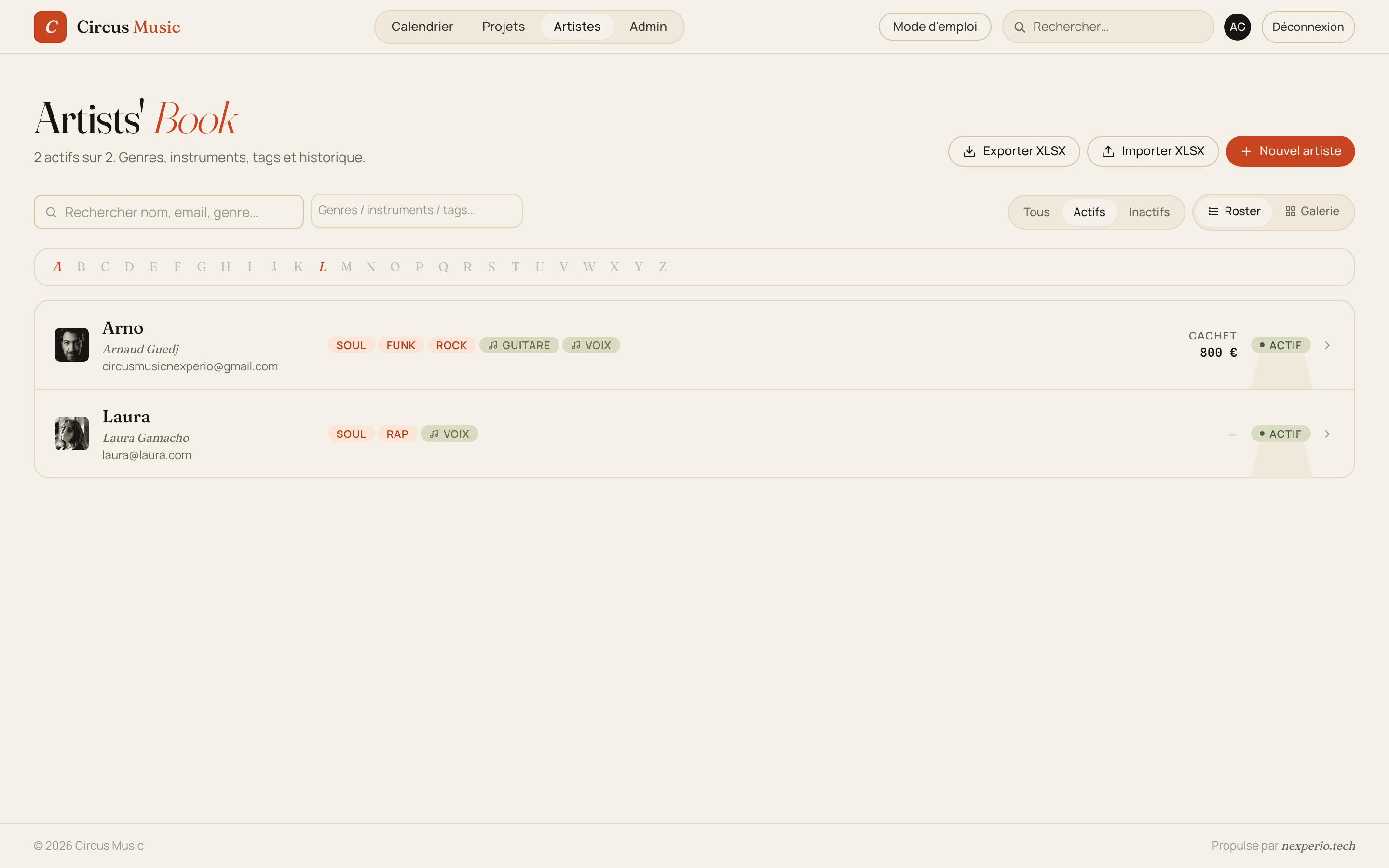
Artists’ Book
Artist book with Roster (compact) or Gallery (thumbnail) views, search, filters by tags / instruments / genres, A–Z bar, Active / Inactive statuses, XLSX import & export
02
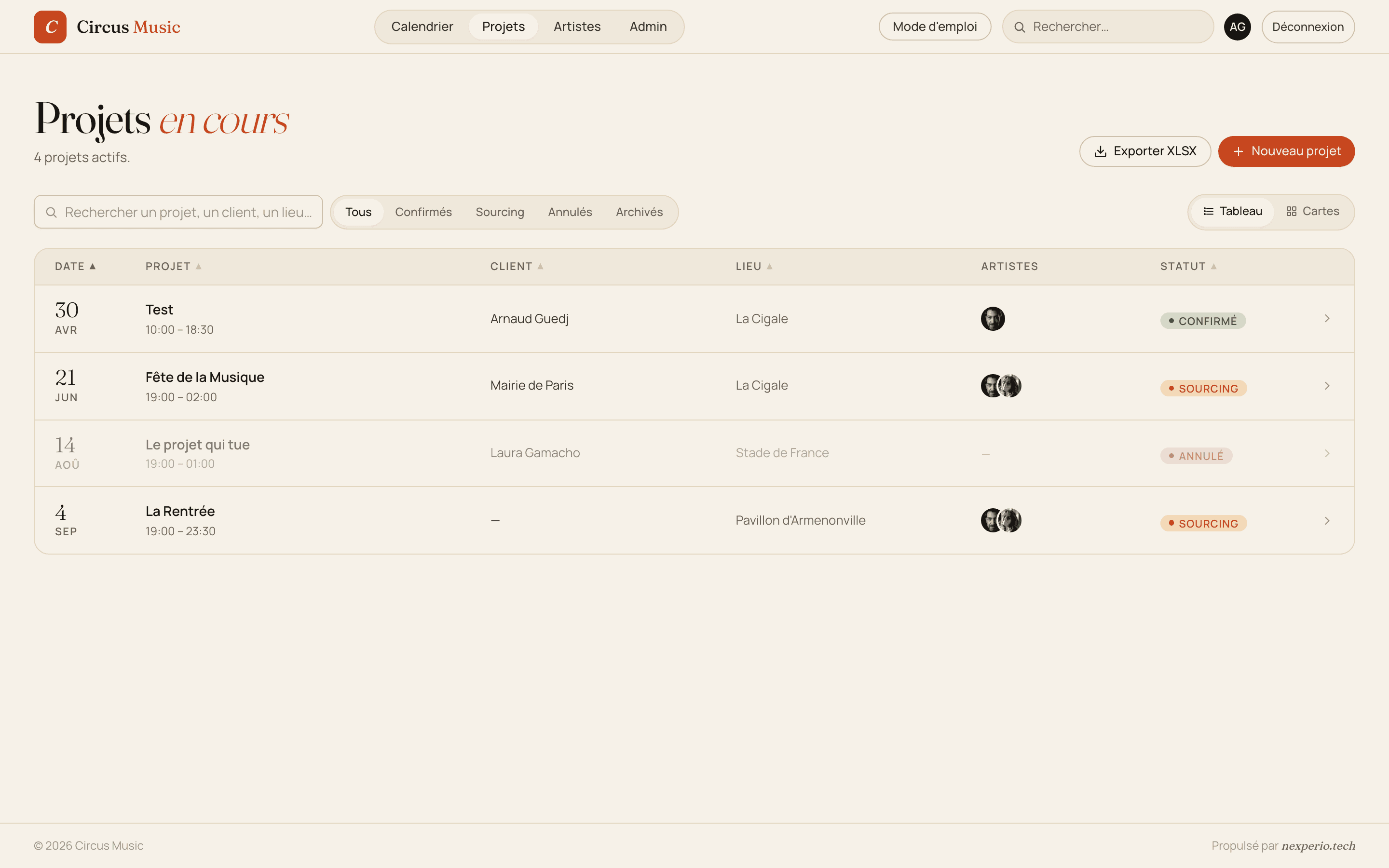
Projects in progress
Filterable list — All / Sourcing / Confirmed / Cancelled / Archived, Table or Card view, columns for Date / Project / Client / Venue / Artists / Status
03
Batch requests
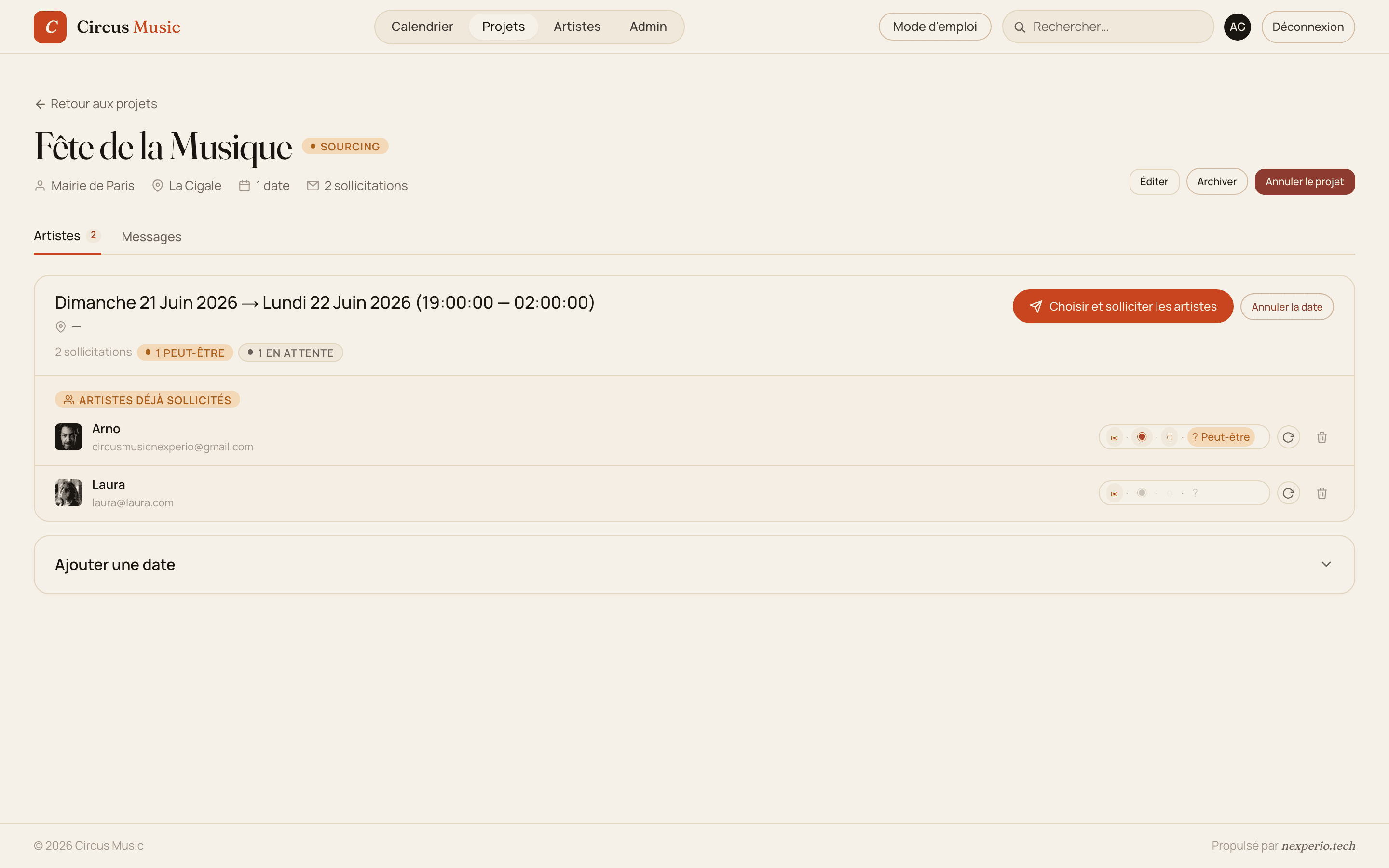
For each date on a project, select several artists at once. Each artist receives an email with their own personal link — unique token, no account required
04
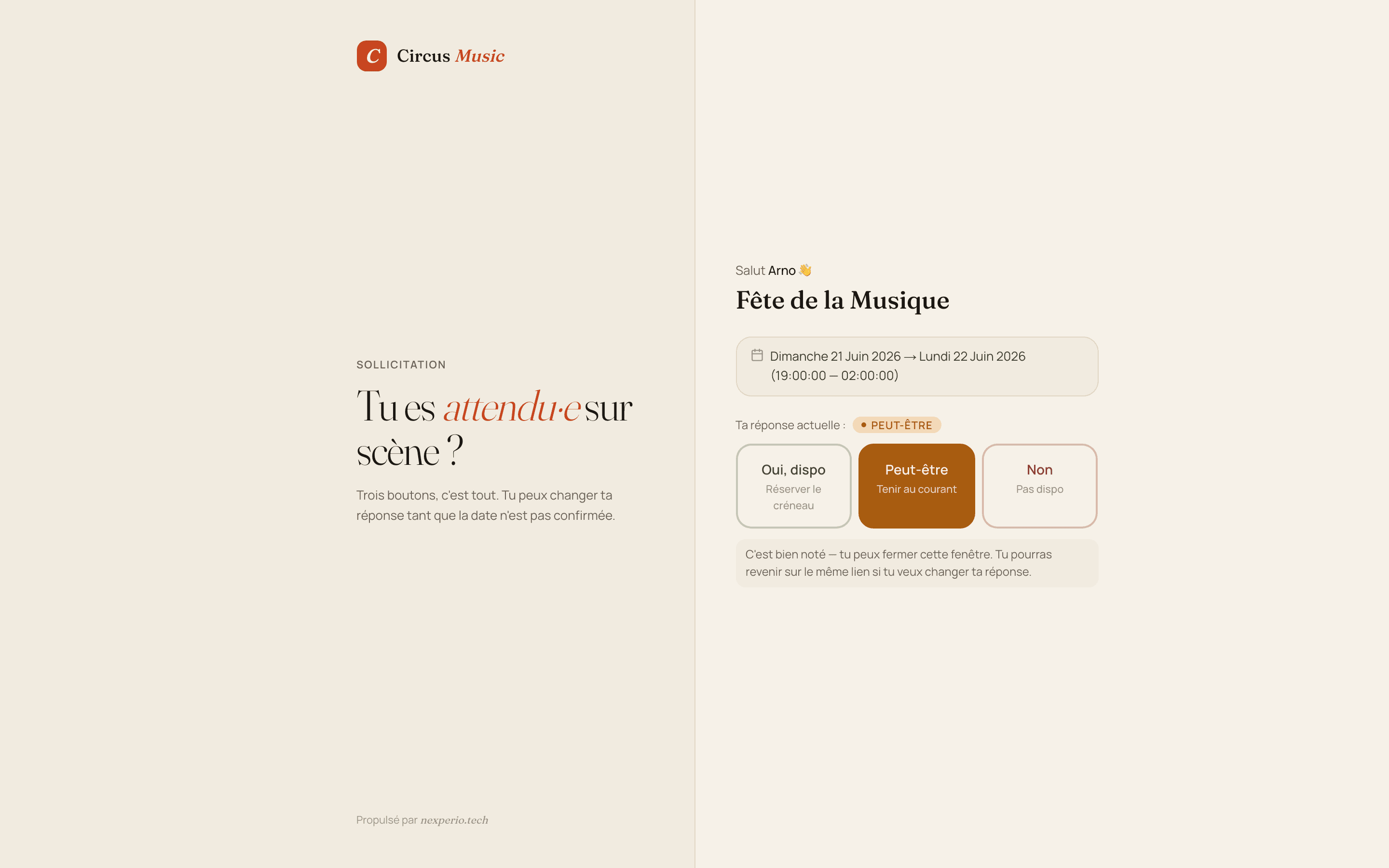
One-click reply
The artist lands on a dedicated page — “Are you expected on stage?” — with three buttons: Yes, available / Maybe / No. Editable until the date is confirmed
05
Confirmation + .ics
When the booker confirms an artist, they receive a recap email with an .ics file that adds itself to their calendar. The date is locked in
06
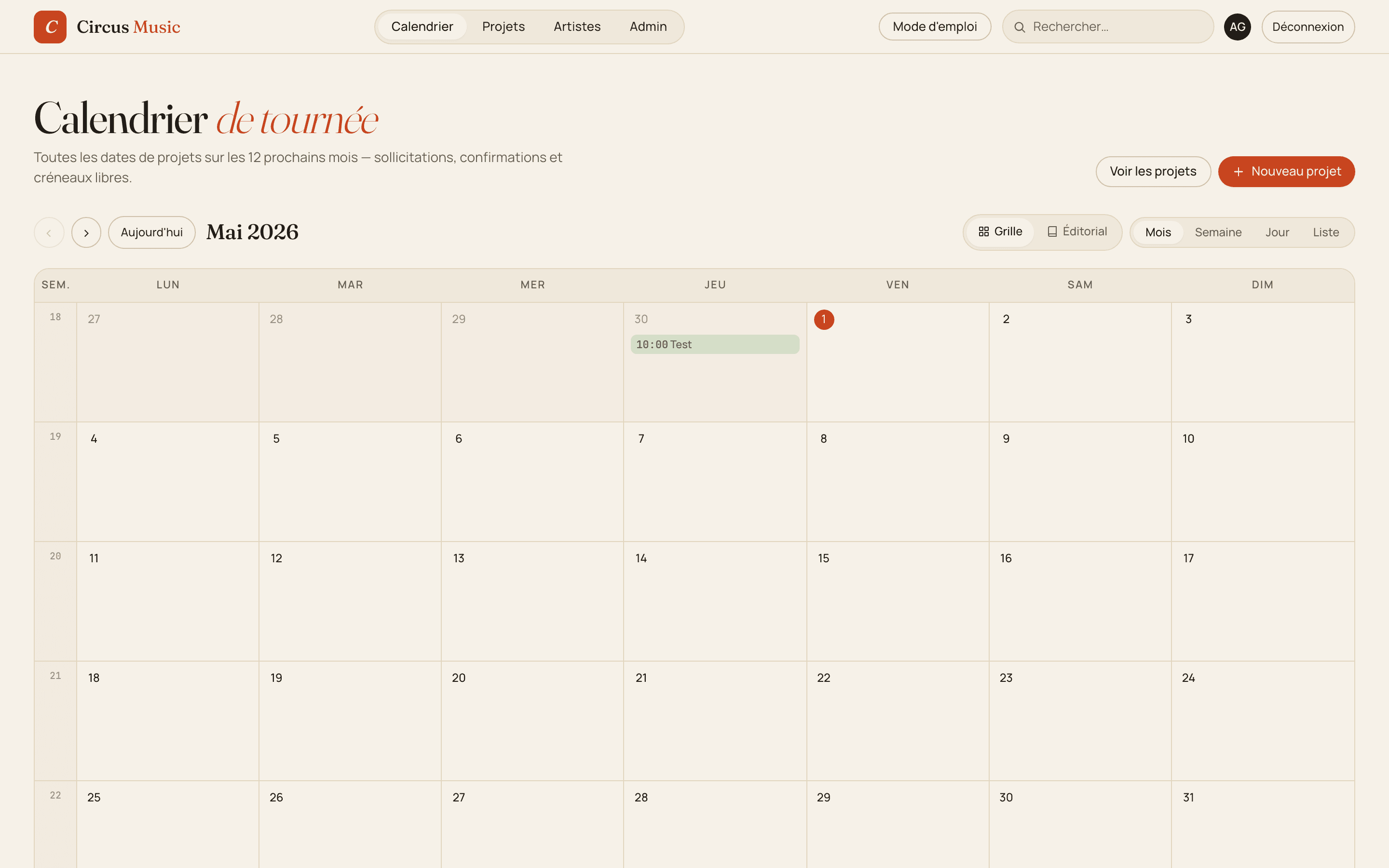
Tour calendar
Grid or Editorial view, Month / Week / Day / List modes. Every date over the next 12 months — requests, confirmations, open slots
07
Admin space
Invitations, user management, bulk artist import via XLSX, built-in user guide for newcomers to the app
08
Strict multi-tenancy
Multiple agencies on the same platform, isolated with Postgres Row Level Security. Each booker sees only their own data
Tech stack